This page contains some basic guidance into how to resize your images for club competitions.
Resizing for Digital Projected Image (DPI) competitions
Images submitted to a DPI competition must fit into a box no larger than 1600 pixels wide by 1200 pixels tall, as stated in the The Scottish Photographic Federation’s “Competitions Guidance” web page. You can find detailed written instructions in the SPF guidance document:
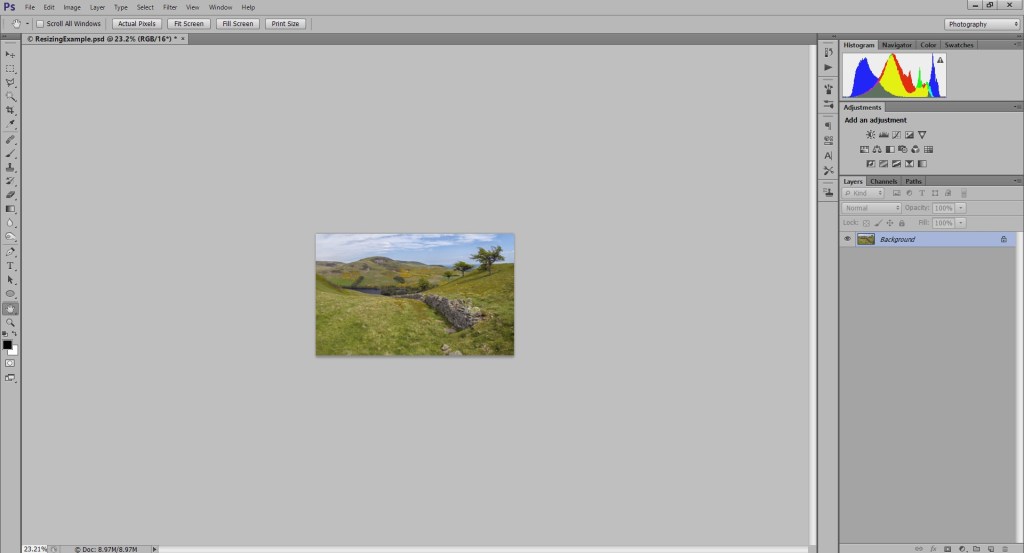
Here is how resizing works in Adobe Photoshop. First open your image and select “Image/Image Size”:
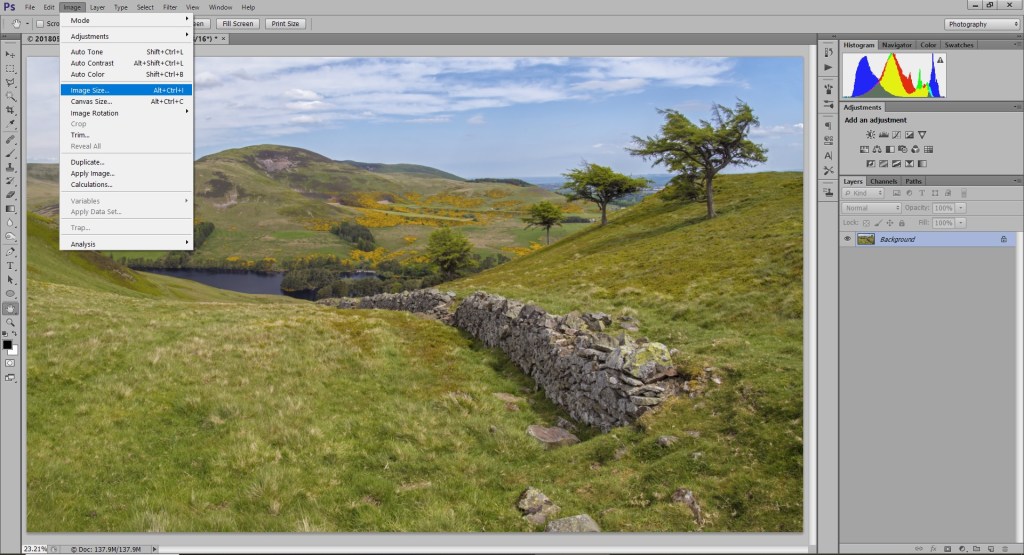
The pop-up will show you the original size and resolution of your image.
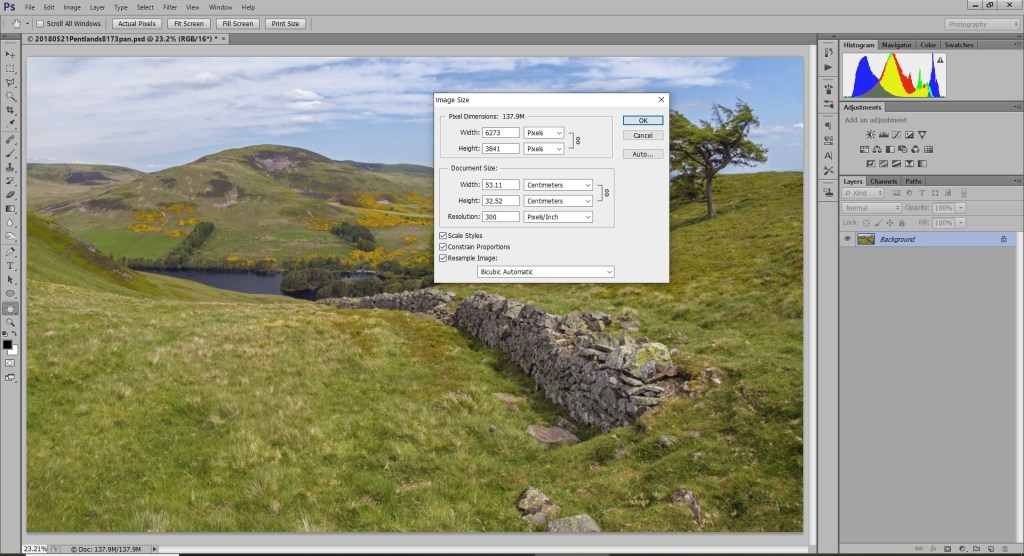
If you are submitting your image to a DPI competition, the “Pixel Dimensions” shown at the top are the most important thing. The image is currently 6273 pixels wide and 3841 pixels tall, which is much too large. If you type “1600” into the width box, the height is automatically scaled to 980 pixels (make sure the boxes at the bottom left are ticked). Since 1600 x 980 will fit inside a 1600 x 1200 box, this size works. (If your image is taller, and a height larger than 1200 is suggested, just type 1200 into the height box to ensure it meets the maximum size).
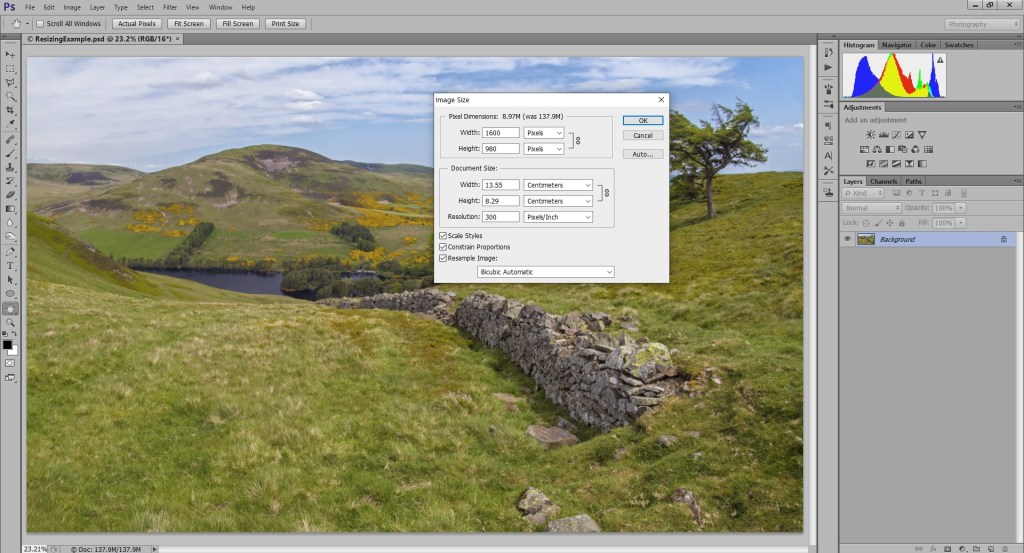
Click OK and the image will be resized. Then save the image as a JPEG.
Resizing for Print Competitions
In theory, you don’t need to resize your images for printing. If you don’t have access to any editing software, you could send any image to a printer and ask the printer to scale it for you, but the printer is unlikely to do a good job. To get the best quality, you need to resize your images to the size the printer is expecting. This time, the “Document Size” part of the image size pop-up is the most important:
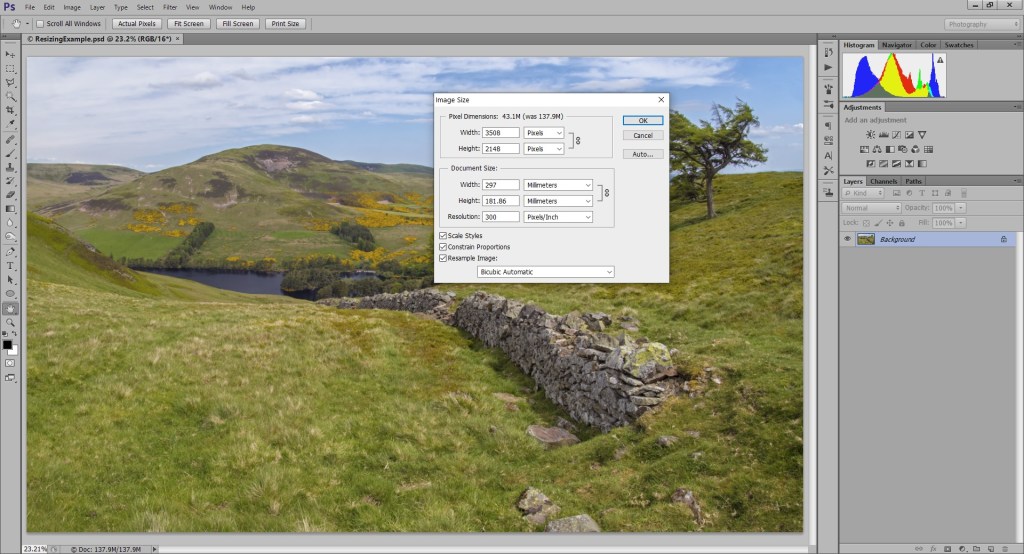
The document width and height must fit onto the printer paper, and the resolution is best set to 300 pixels/inch (DPI). Here, the maximum width is set to 297mm, so that the image size will fit onto a sheet of A4 paper (in landscape orientation). The most common paper sizes used in the UK are:
- A4: 297mm x 210mm
- A3: 420mm x 297mm
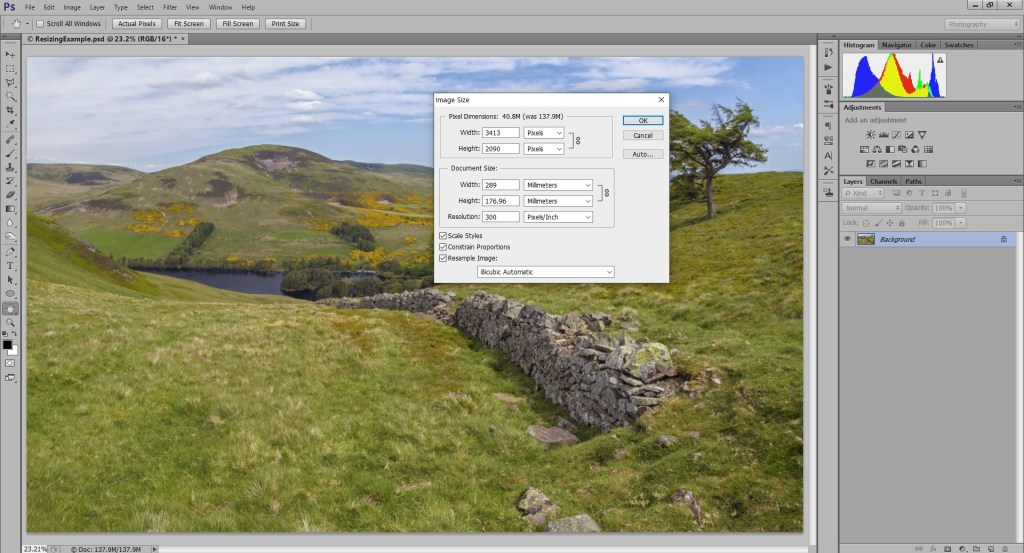
However, most printers cannot print right up to the edge of the paper, so I recommend making the size 8mm smaller on each side, to allow for a 4mm margin around the image. Here the width is reduced to 289mm.


You must be logged in to post a comment.